Four modes
The same four, the same rules.
What changes is where the bubbles go once you pop something underneath them.
Standard
Bubbles fall, and an emptied column closes up to the right. The classic: 132 bubbles, and the game is over when you run out of pairs.
Continuous
Clear a whole column and a fresh one slides in from the left, pushing everything right. The game only ends when the board jams — it can go on for a very long time.
Shifter
Bubbles fall and slide sideways into every gap, so groups keep re-forming after each pop. Harder to plan, easier to chain.
MegaShift
Shifter plus Continuous. Bubbles slide down and right, new columns keep arriving, and the board stays almost full. The high-score mode.
The app
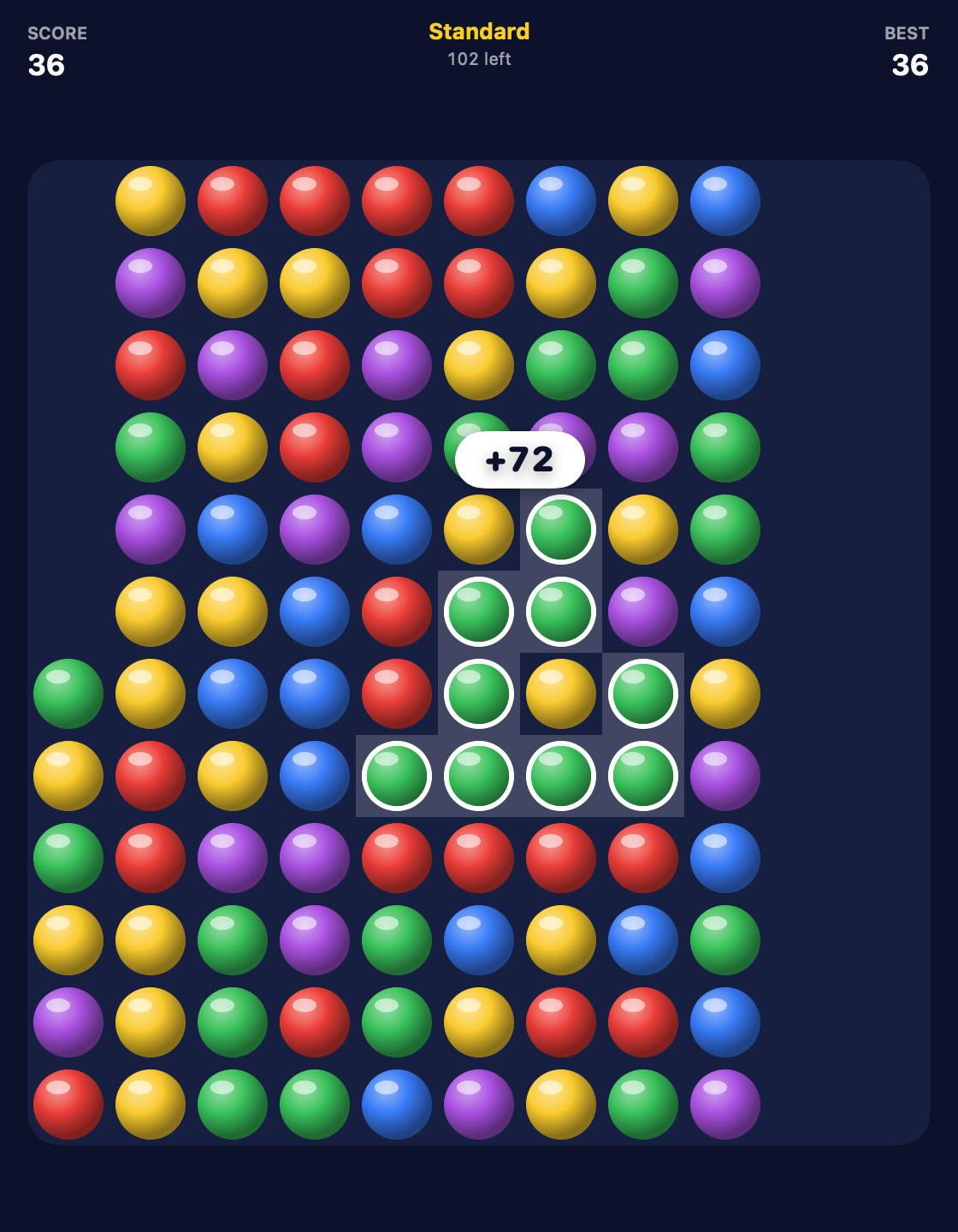
Click once to see the score. Click again to take it.
A selected group lights up and shows what it's worth before you commit, the way the original did. Change your mind and click somewhere else. Regret a pop and undo it — as many moves back as you like.
The iPhone and iPad versions are the same app from the same code, and are on their way to the App Store. Saved games and high scores are kept per mode on each device.
Details
Small things that add up.
All the way back
Every pop is undoable, right back to the opening board. The game-over screen has an Undo button too, for when you see the move you missed.
One per mode
Standard and MegaShift scores live in different worlds, so each mode keeps its own best — and the end-of-game screen tells you by how much you beat it.
Picks up where you left it
Quit mid-game, come back tomorrow: the board, the score and the undo history are all still there.
A proper post-game
Pops, biggest pop, bubbles cleared, and confetti when you clear the board or set a record. Then Play Again, or switch modes from right there.
Keeps itself current
The Mac app checks for updates once a day and installs them with one click. Every update is signed, and the app refuses anything that isn't.
Built for each screen
A real Mac window you can resize, with keyboard shortcuts and menus. Haptics and touch on iPhone and iPad.
Keyboard
On the Mac, the keys you'd expect.
Privacy
It's a game. It stays one.
- No account, no sign-in, no ads, nothing to buy.
- Scores and saved games live on your device and nowhere else.
- The Mac app's daily update check and the downloads are counted the way any web server counts requests — no identifier, no tracking.
Go on, pop some bubbles.
It's free. The Mac app downloads below; the iPhone, iPad and Vision Pro versions are built and on their way to the App Store.
Download Bubble Popper for MacmacOS 14+ · Apple silicon & Intel · signed and notarized · about 5 MB
Is it the same as the old Bubble Breaker?
Same board, same five colors, same scoring, same four modes. The look is cleaner and the bubbles fall with a bit of bounce, but the game underneath is the one you remember.
What's the best strategy?
Clear the colors you have least of first, and keep one color as the "bank" you herd together for a big finish. A group of twenty is worth more than all the pairs on the board combined.
Is it safe to install?
It's signed with a Developer ID and notarized by Apple, so it opens with a double-click — no right-click-to-open workaround.
How do updates work?
The Mac app checks once a day and offers an update when there is one; you can also pick Check for Updates… from the app menu. Every update is cryptographically signed.
Something's wrong, or you have an idea?
Get in touch — say which app and version, and what happened. What the app does and doesn't collect is on the privacy page.
Built with AI
I built Bubble Popper with heavy use of AI coding tools.
Saying so seems more useful than leaving you to guess.