Controls
Everything your hands remember.
Each of these has an input. That input is on the left.
Dig
Open a square. A zero opens everything around it, and everything around those, the way it always did. A tap, once it reaches iPhone and iPad.
Flag → ? → blank
Cycle a square through a flag, a question mark and back, like Windows with Marks switched on. ⌃-click does the same on a trackpad; long-press or flag mode on touch.
Chord
On an open number with the right number of flags around it, open all the rest of its neighbors at once. Clicking the number does it too — and so does tapping it.
Again
The smiley is the new-game button, as it should be. It winces when you lose and puts its sunglasses on when you win. ⌘N works as well.
The app
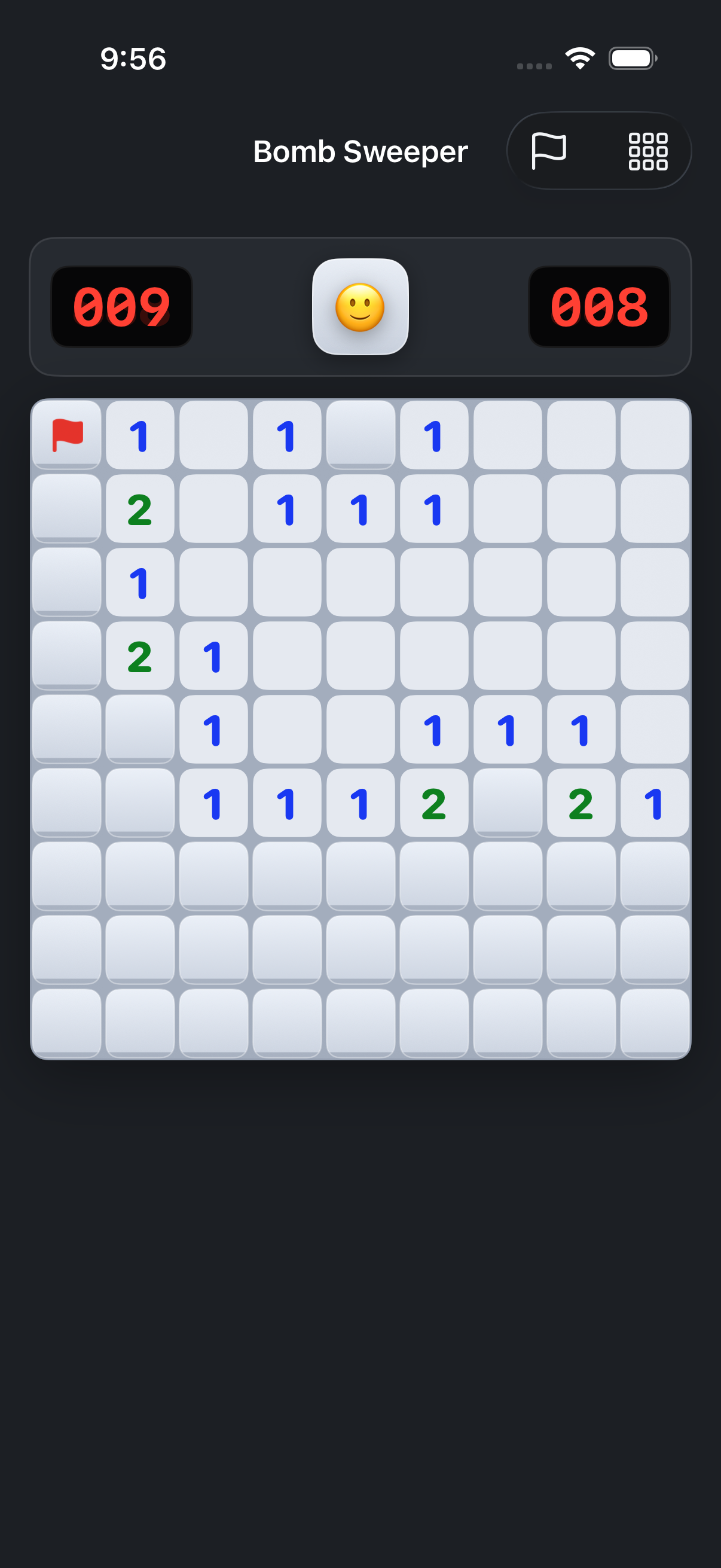
Soft tiles, classic numbers.
The tiles are a little rounder and the shading a little softer than 1992, but the numbers keep their colors — one blue, two green, three red — because that's how you read a board without reading it.
A field in progress is saved when you quit, and picked up again on whichever device you open next.
Three boards
Pick your trouble.
- 9 × 9 · 10 mines
Beginner
A coffee break. Sub-ten-second times are possible and you will chase them.
- 16 × 16 · 40 mines
Intermediate
Where the game actually lives. Enough room for the logic to bite.
- 30 × 16 · 99 mines
Expert
Guessing at the end is part of it. Scrolls on a phone; fills a Mac window.
Privacy
It's a game. It stays one.
- No account, no sign-in, no ads, nothing to buy.
- Best times and the field in progress live on your devices and in your own iCloud, nowhere else.
- The Mac app's daily update check and the downloads are counted the way any web server counts requests — no identifier, no tracking.
Find the mines.
It's free. The Mac app downloads below; the iPhone, iPad and Vision Pro versions are built and on their way to the App Store.
Download Bomb Sweeper for MacmacOS 14+ · Apple silicon & Intel · signed and notarized · about 5 MB
Is it the same as the old Minesweeper?
Same three boards, same rules, same safe first click, same flags and question marks and chording. The tiles are softer and it fits a Mac window, but the game underneath is the one you remember.
No right mouse button?
⌃-click flags on the Mac. On iPhone and iPad, long-press a square, or turn on flag mode in the toolbar and taps plant flags until you turn it off.
Is it safe to install?
It's signed with a Developer ID and notarized by Apple, so it opens with a double-click — no right-click-to-open workaround.
How do updates work?
The Mac app checks once a day and offers an update when there is one; you can also pick Check for Updates… from the app menu. Every update is cryptographically signed.
Something's wrong, or you have an idea?
Get in touch — say which app and version, and what happened. What the app does and doesn't collect is on the privacy page.
Built with AI
I built Bomb Sweeper with heavy use of AI coding tools.
Saying so seems more useful than leaving you to guess.