What it does
Everything the little remote does, plus what it can’t.
Each of these has a key. That key is on the left.
Type into your TV
Characters appear on the Apple TV as you type them. The panel tells you when a text field is actually focused, so you’re never typing into nothing — and it can open itself the moment the cursor lands in one.
Jump straight to an app
Every app installed on the Apple TV, searchable. Type “plex”, press return, you’re in — no scrolling past twelve rows of icons to get there.
See what’s playing
Artwork, title, artist and a progress bar you can drag to scrub. Collapse it when you want the compact remote back.
Shrink to a mini player
Just the artwork and transport controls, small enough to leave floating in a corner while you work.
Skip without looking
Jump back or forward by 10 to 60 seconds, whichever you set. Hold to keep going. Space plays and pauses.
Stay out of the way
A menu bar item for quick presses, and a float-on-top mode with a glass appearance that blurs whatever’s behind it.
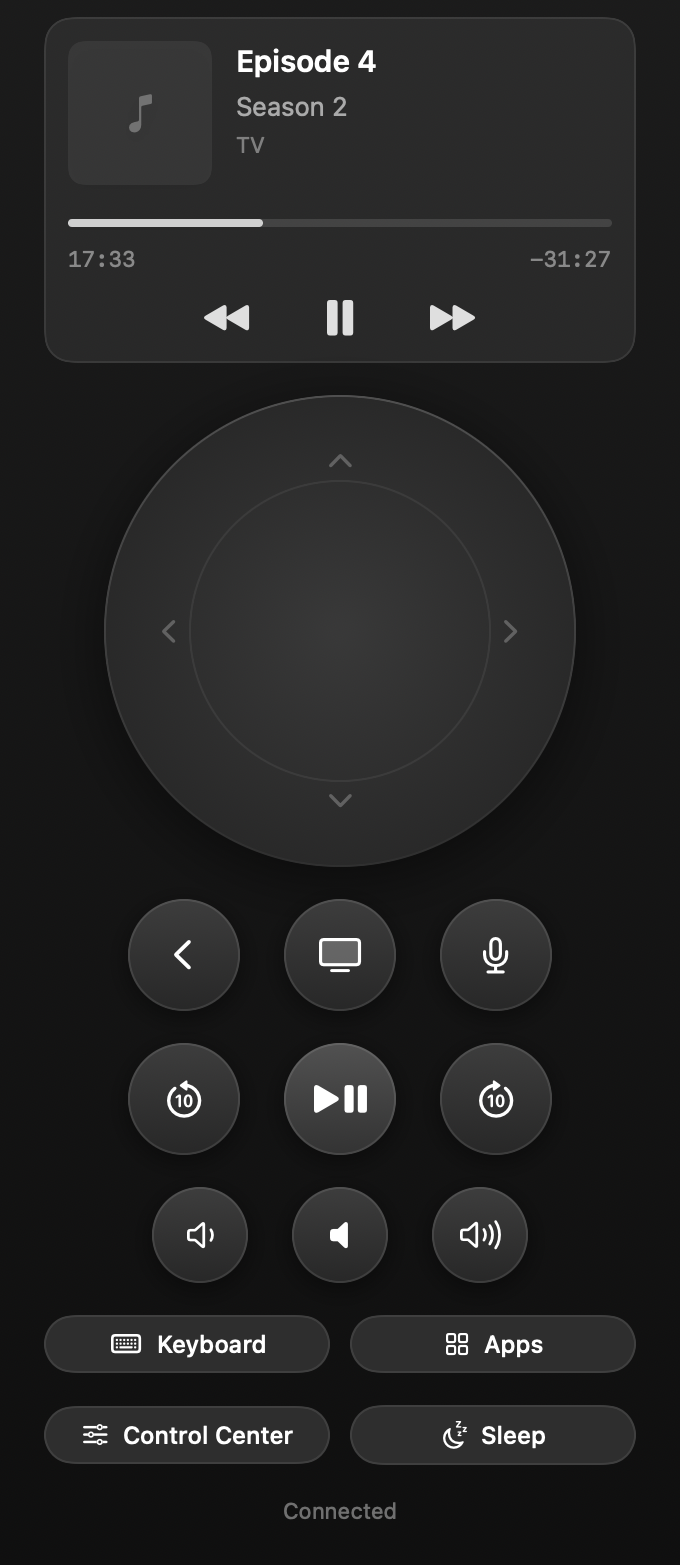
The app
One window, the whole remote.
It sizes itself to what it needs and nothing more — no title bar, no chrome, no panel you have to go looking for. The Now Playing card collapses when you don’t want it, and the window shrinks with it.
Shown with placeholder playback. TV Remote never sees what you’re watching until it’s pointed at your own Apple TV.
Sync playback
Every room, on the same frame.
Tick the Apple TVs that should follow the one you’re driving. There’s no start button — the group is whoever is ticked.
It corrects itself, quietly.
Every second, TV Remote compares what each follower is playing with the leader and nudges anything that has drifted more than a few tenths of a second. It learns how far ahead each device needs to land, so corrections settle instead of bouncing.
And it knows when to stop.
Some players simply refuse to seek — live streams, ad breaks, apps that never implemented it. After a few failed attempts a device is left alone rather than seeked in circles, and the app says so plainly instead of pretending.
Setup
Three steps, once.
Pairing happens one time. After that it reconnects on its own whenever you open it.
-
Open TV Remote
It finds every Apple TV on your network by itself — nothing to type in.
-
Pick yours
A four-digit code appears on the TV. Type it into the Mac.
-
That’s it
Credentials go into your login keychain, and it reconnects from then on.
Keyboard control
Your hands never leave the keyboard.
The whole remote is reachable without the mouse. Every key below is live the moment the window has focus.
Navigate
Play
Panels
Privacy
It never leaves your house.
- TV Remote speaks the same local-network protocols Apple’s own remote uses. There is no server in the middle, and no account to create.
- Pairing credentials are stored in your login keychain, in a format pyatv can read — so they stay yours.
- Usage statistics are off unless you switch them on. If you do, Settings shows the exact JSON that would be sent, and the app can print it from the command line so you don’t have to take our word for it.
- Downloads and update checks are counted the way any web server counts requests.
Put the remote down.
It’s free. If it saves you from one more on-screen keyboard, that’s the whole point.
Download TV RemotemacOS 14+ · Apple silicon & Intel · Apple TV HD or 4K on the same network
Do my Mac and Apple TV need to be on the same network?
Yes. TV Remote connects directly over your local network, which is also why there’s no account and nothing leaves your house.
Which Apple TVs work?
Apple TV HD and Apple TV 4K, running a current version of tvOS.
Does it replace the remote that came with the Apple TV?
For everything except voice. Siri support is experimental and best-effort; volume, playback, navigation, typing, app launching, sleep and wake all work.
Is it safe to install?
It’s signed with a Developer ID and notarized by Apple, so it opens with a double-click — no right-click-to-open workaround.
Can it control the volume on my TV or receiver?
It sends volume up and down the same way the hardware remote does. Mute needs the optional Now Playing setup, which is one extra pairing code.
Built with AI
I built TV Remote with heavy use of AI coding tools.
Saying so seems more useful than leaving you to guess.